ROBOCALC

NATIVE macOS 14+

Calculate. Graph. Program. Solve.

A pit-black scientific desk with a standard pad, Y= graphing, BASIC programs, and a solution finder. Tobor sits on the corner — talk or MCP on localhost.

Live RoboCalc graph mode with sine and cosine
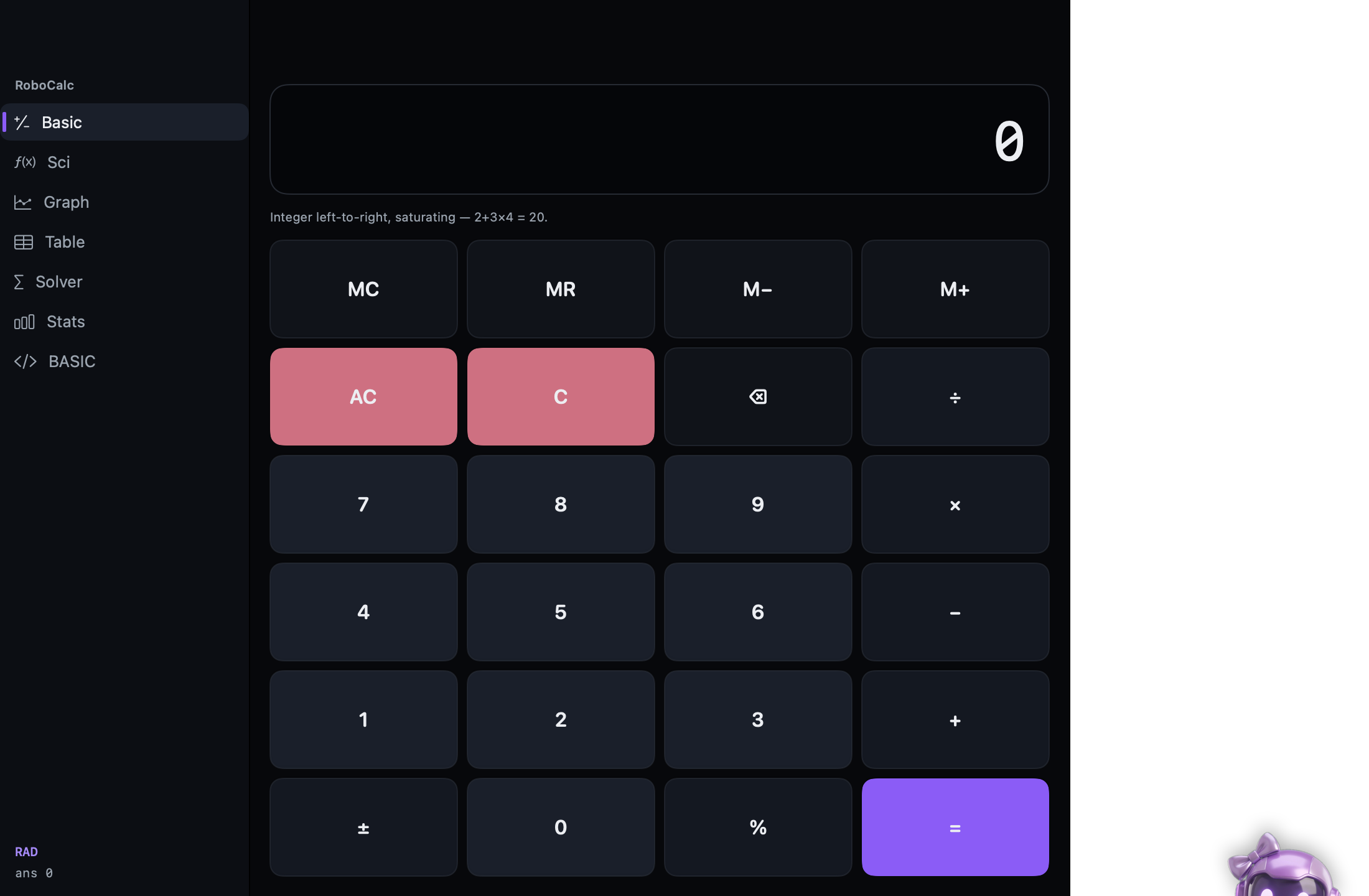
Standard four-function pad

Standard mode

The four-function pad: memory, percent, sign, saturating left-to-right integer arithmetic. Same keys as a desk calculator, dark LCD, no account.

  • MC / MR / M− / M+
  • AC and C, ÷ × − +, percent
  • Scientific pad next door: sin, ln, π, derivatives, integrals
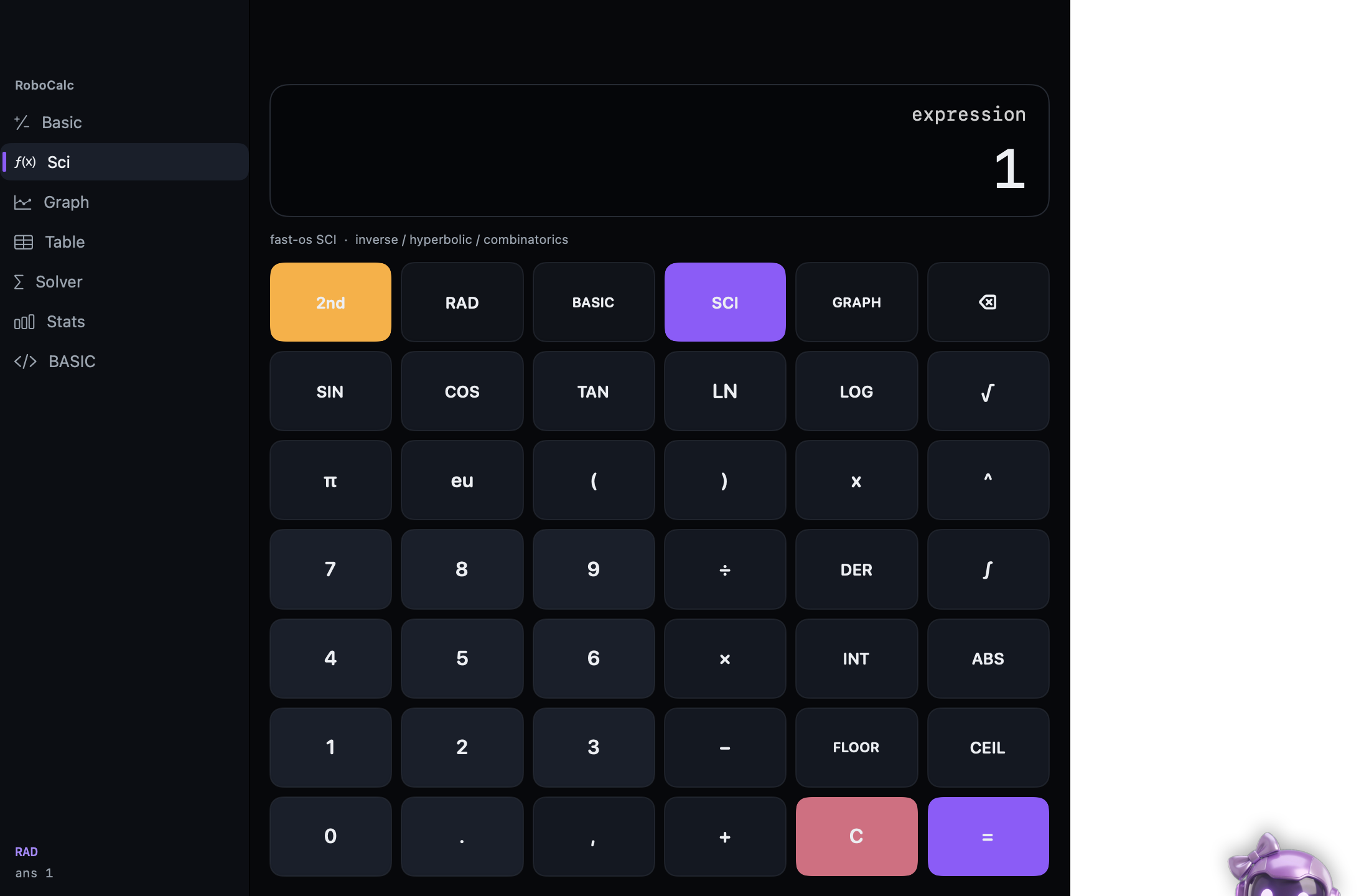
Scientific pad after sin(π/2)

Scientific pad

fast-os SCI: inverse, hyperbolic, combinatorics. 2nd, RAD/DEG, DER, ∫. Unicode and LaTeX in the display — not ASCII-only.

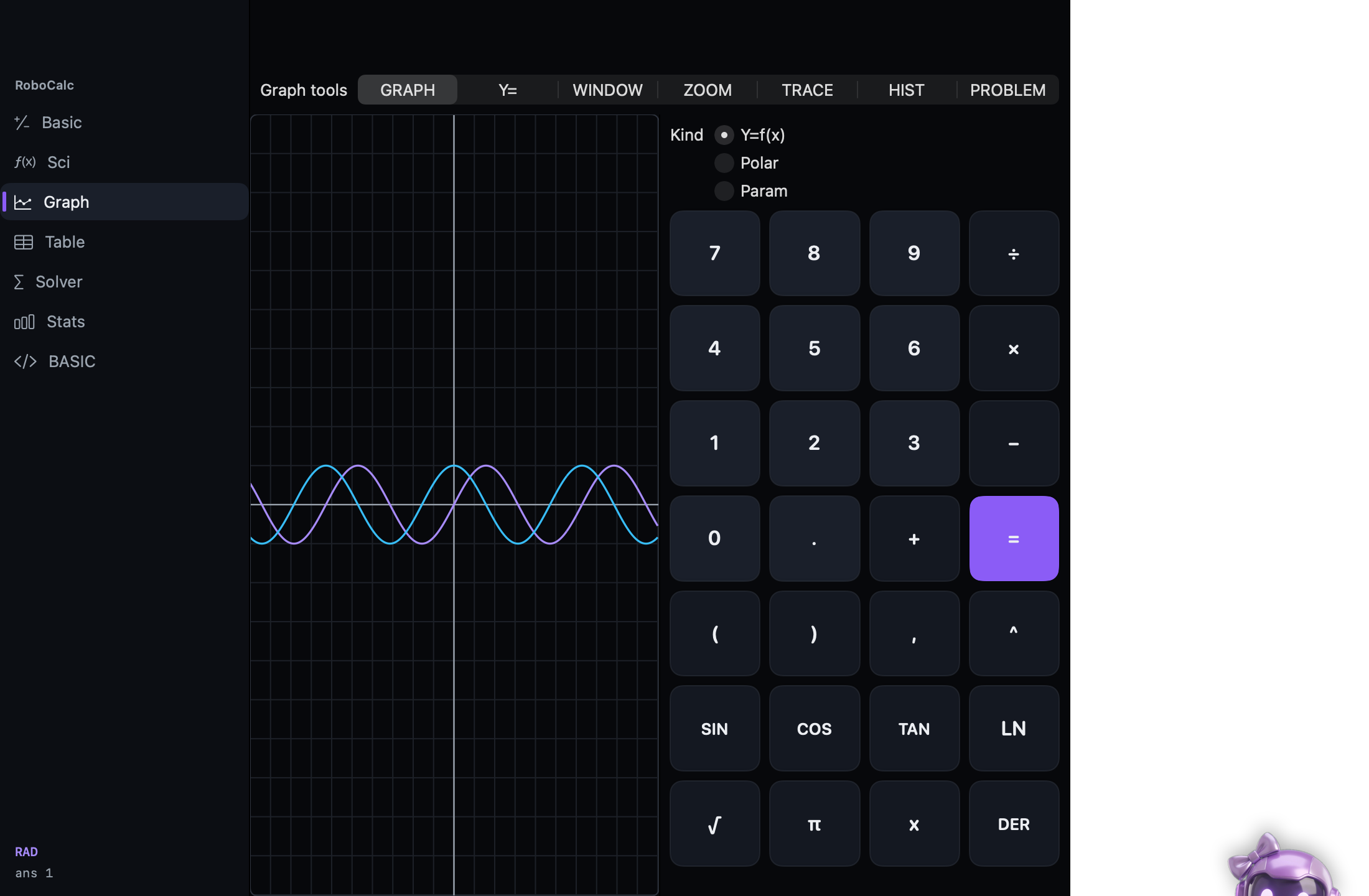
Graph mode plotting two waves

Graph mode

Y=f(x), polar, or parametric. WINDOW, ZOOM, TRACE, HIST. Separate graph window if you want the plot on another screen.

  • Y= slots, enable/disable per curve
  • Trace along a sample; WINDOW xmin…yscl
  • Kind: cartesian, polar, parametric
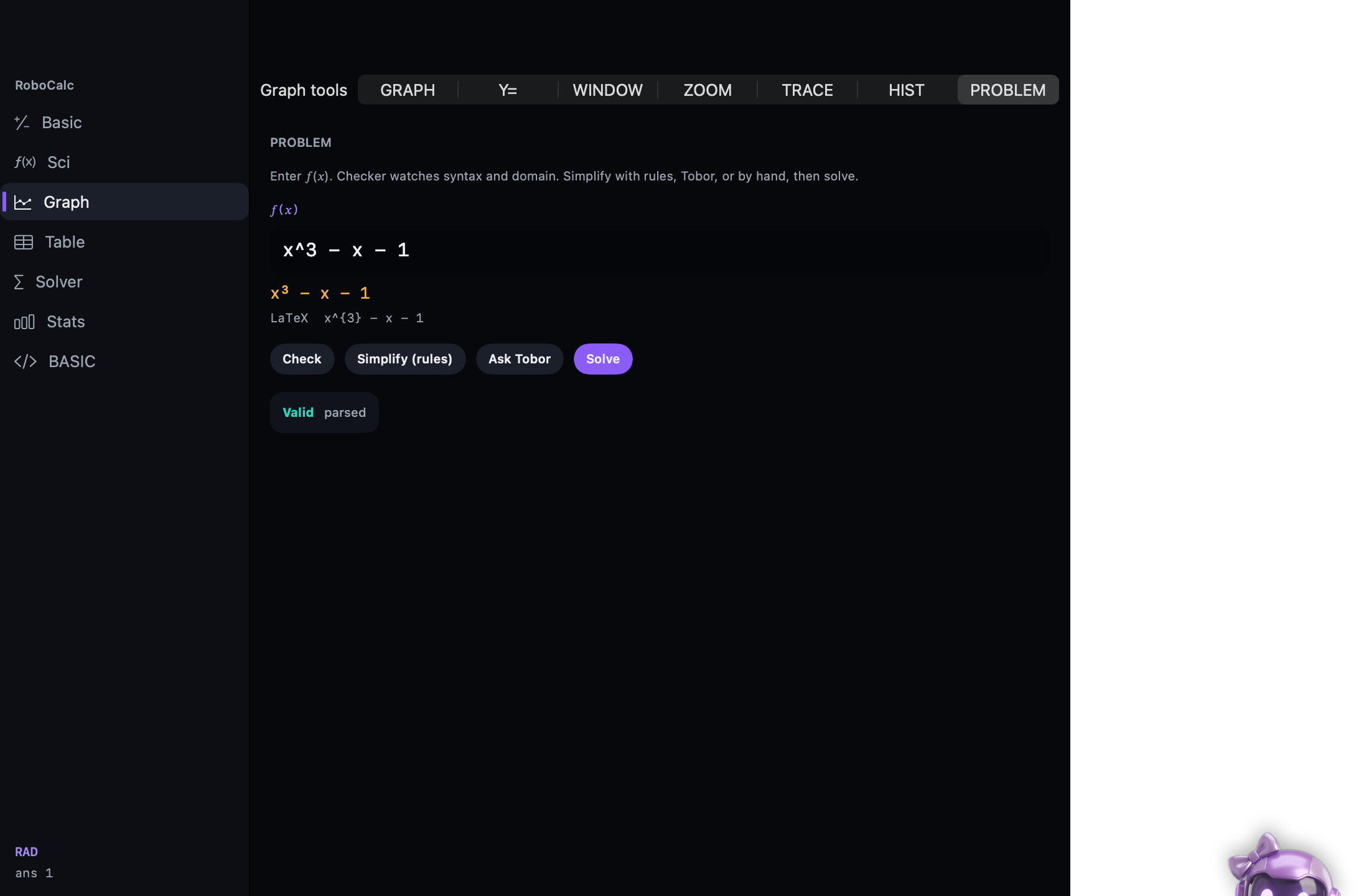
PROBLEM pane checking x^3 - x - 1

Solution finder

PROBLEM pane on Graph tools: enter f(x). Checker watches syntax and domain. Simplify with rules, Tobor, or by hand, then Solve.

  • Check — valid / parsed, issues with hints
  • Simplify (rules) — deterministic tidy-up
  • Ask Tobor — copilot with approval cards
  • Solve — numeric root on the current WINDOW
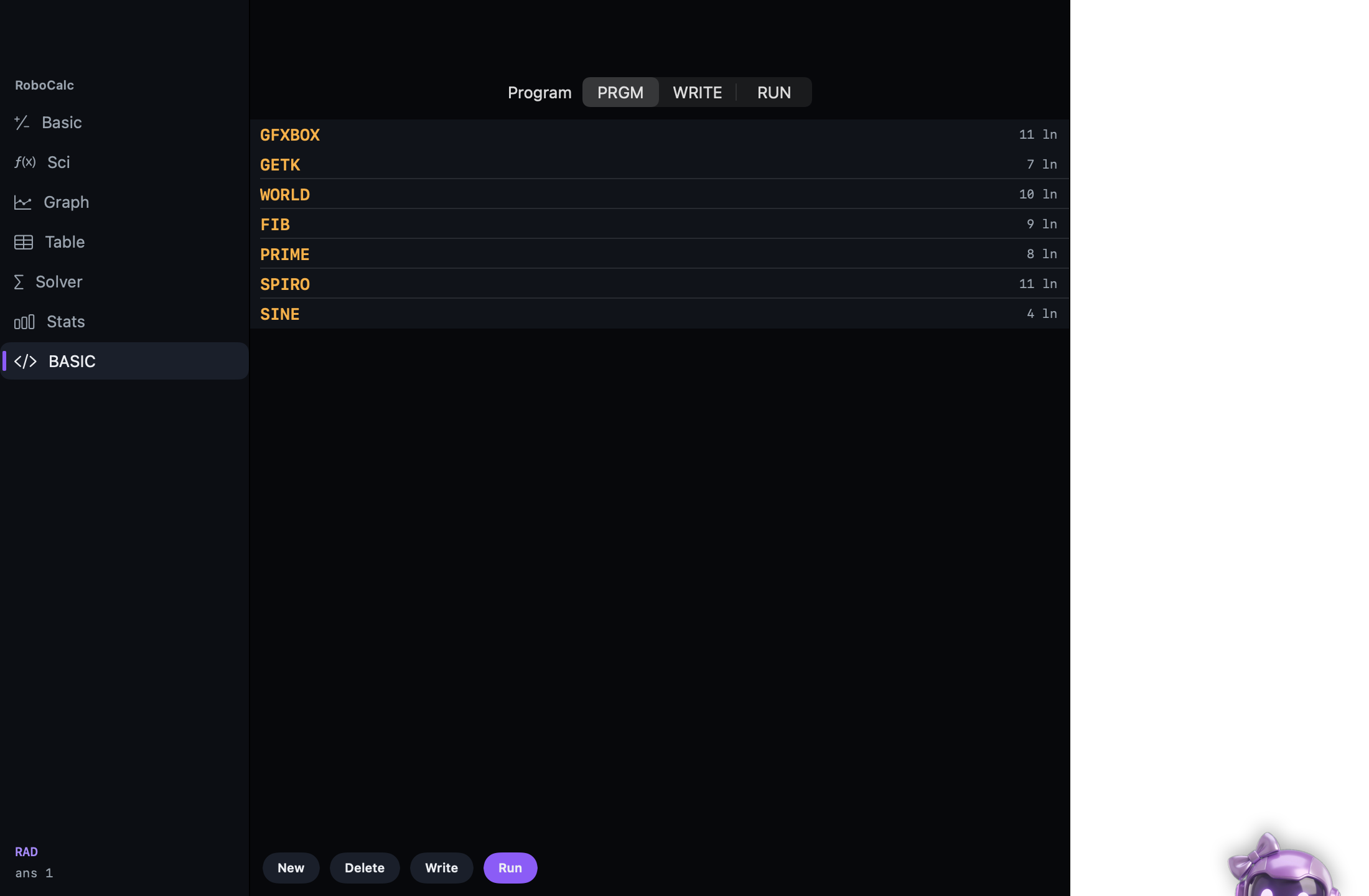
BASIC program list: FIB, SPIRO, SINE

Program mode

BASIC on device. PRGM list, WRITE source, RUN. Stock programs: FIB, SPIRO, SINE, PRIME, GETK, WORLD, GFXBOX.

  • New / Delete / Write / Run
  • HOME + simple gfx from BASIC
  • MCP can list, read, edit (approval), run, stop
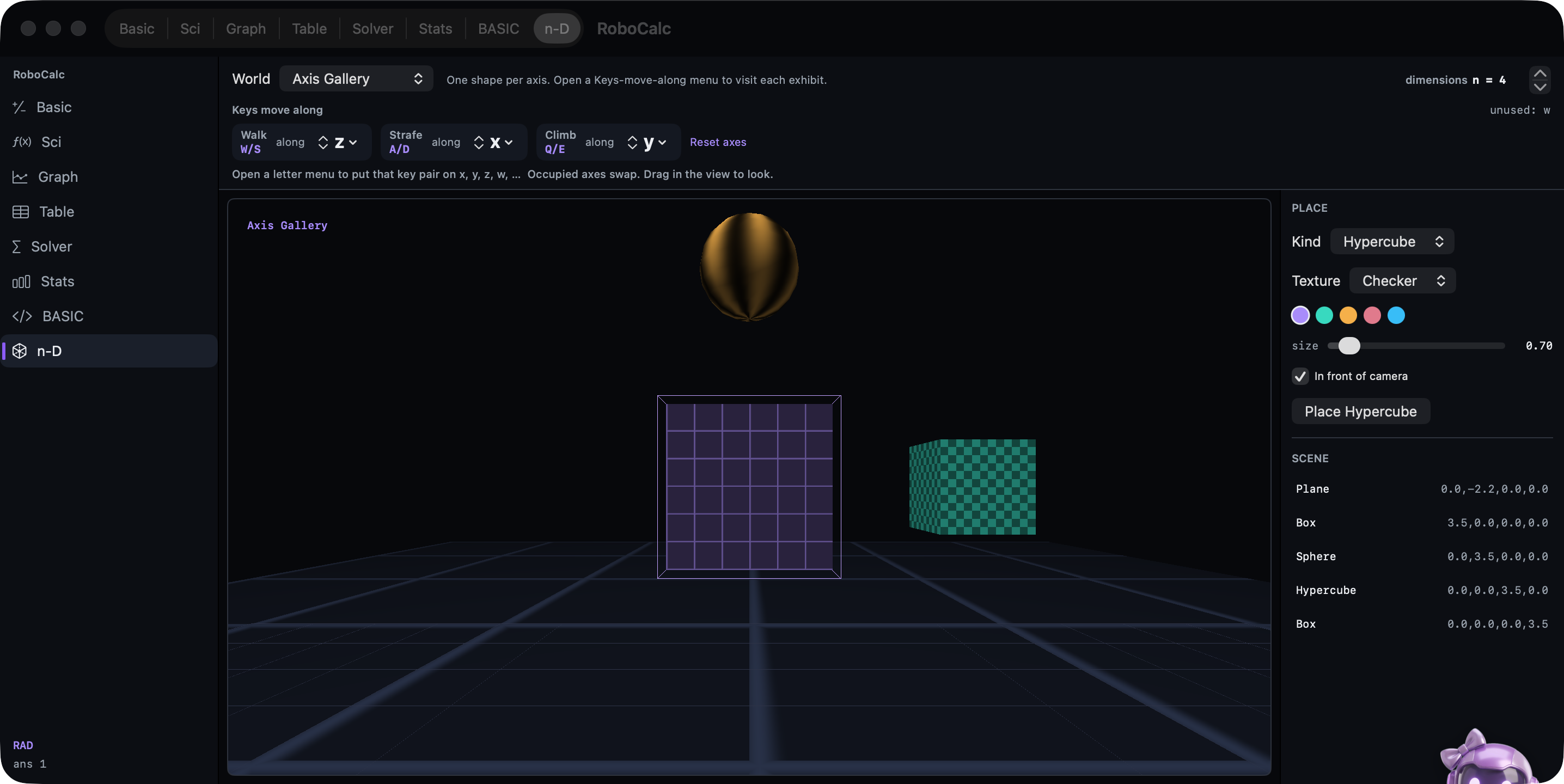
n-D world viewer: Axis Gallery with hypercube, checker cube, and sphere

n-dimensional world viewer

Mode n-D (⌘8). Metal. Browse worlds, then fly through Rⁿ. Worlds with four or more dimensions use the hyper-projection: depth along w is measured from where you stand, so stepping along w makes a tesseract's inner and outer cubes trade places, coloured blue toward −w and red toward +w. Switch to Perspective or Slice to see the pinhole view or the exact 3-D cross-section. The bar labeled Keys move along picks which world axes W/S and A/D walk and which extra axis ↑/↓ travel.

  • Walk W/S · Strafe A/D · Q/E turn the camera, even through w — ↑/↓ travel w (or y, v, …; ←/→ choose)
  • ⇧Q/E, ⇧A/D, ⇧W/S rotate the shapes through the XW, ZW and YW planes; V switches Hyper, Perspective and Slice; F shows translucent faces
  • Third-person camera: drag to orbit, right-drag to steer, hold both buttons to run, scroll to zoom
  • Tesseracts, a 5-D penteract, hyperspheres and a Klein bottle that only stops crossing itself in four dimensions; place more in the editor
Tobor

Tobor + MCP

Companion peeks from the corner. Voice or text. While the app is open: POST http://127.0.0.1:8742/mcp — evaluate, screenshot, chat, approvals.